

Overview
This guide is designed for human annotators to understand how to label evaluations created through the human evaluations creation flow. For information on creating contributor evaluations, see Contributor Evaluation.Start Labeling

Labeling Tasks
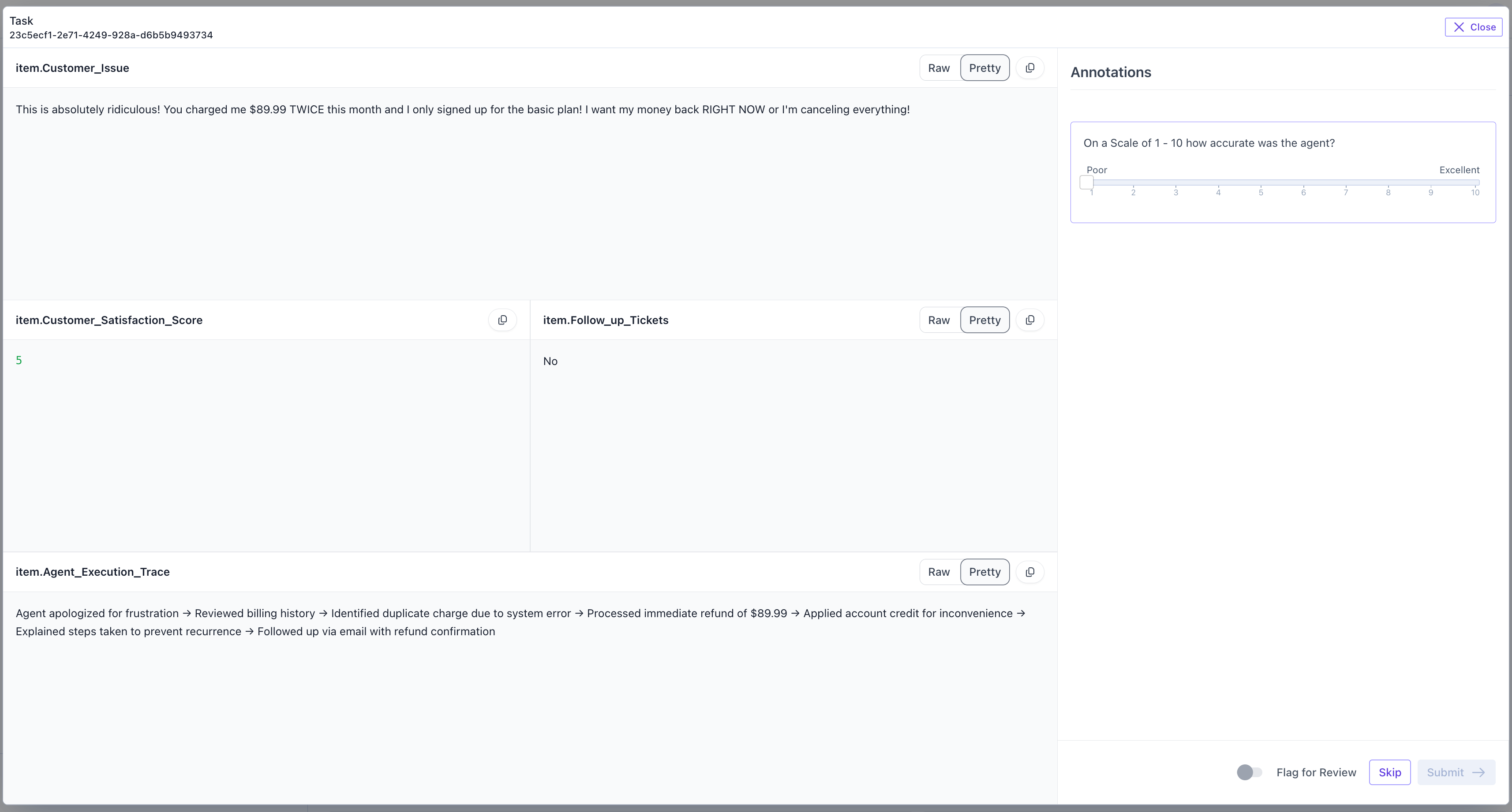
- Save: There is no save button. All tasks are auto saved when you answer questions. If you navigate away from a task and return to it, you will see answers you previously answerd.
- Skip: Skip. If you are unsure about how to answer this task, then you can utilize the Skip button to skip this task.
- Submit: Submit. When you are done with a task, use the Submit button to submit it. Submitting a task allows it to be audited by an auditor. You are allowed to edit a task after you submit if it has not yet been audited.
- Flag for Review: If you want to submit a task but have concerns about the task you want to flag to an auditor, toggle the flag for review button and leave a comment. The auditor will see your comment and see that you flagged this for review.