Overview
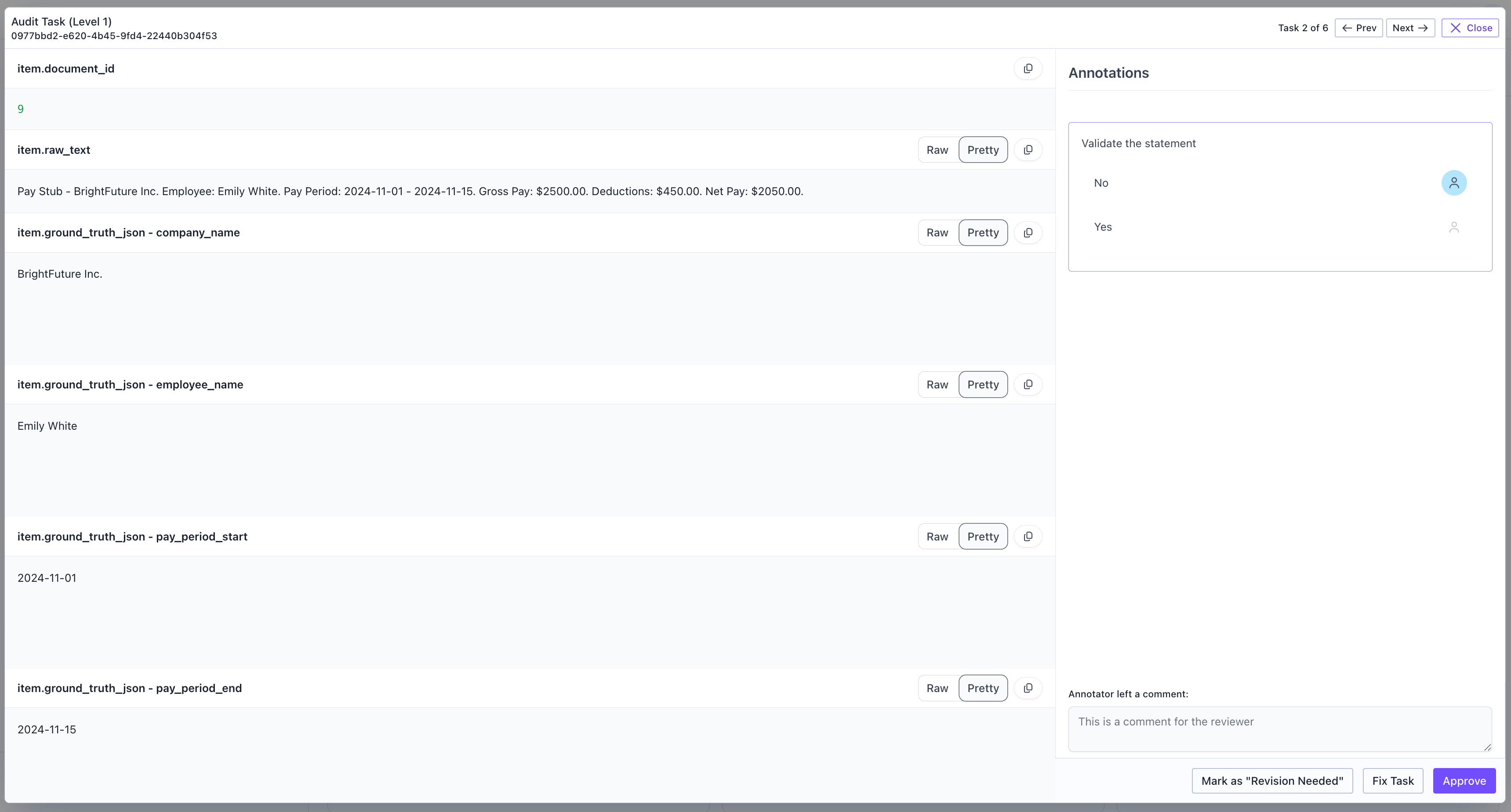
The platform supports auditing in order to enable users to review tasks that are completed by labelers. Currently, the platform supports two levels of auditing. A user can only complete the first level of auditing after the task has been labeled. A user can then only complete the second level of auditing after the first level of auditing has been completed.Auditing
Complete an Audit assigned to you
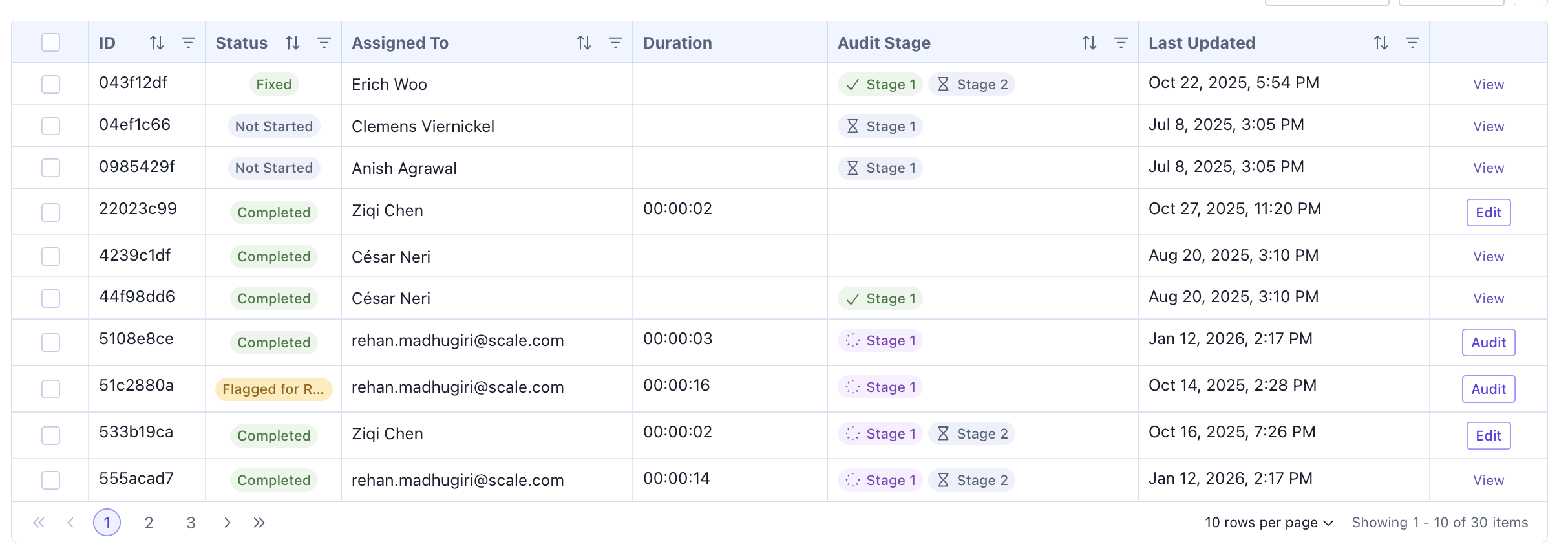
In order to complete an Audit that is assigned to you, click on the Audit button in the table of the corresponding task. This will show the task with the auditing functionality.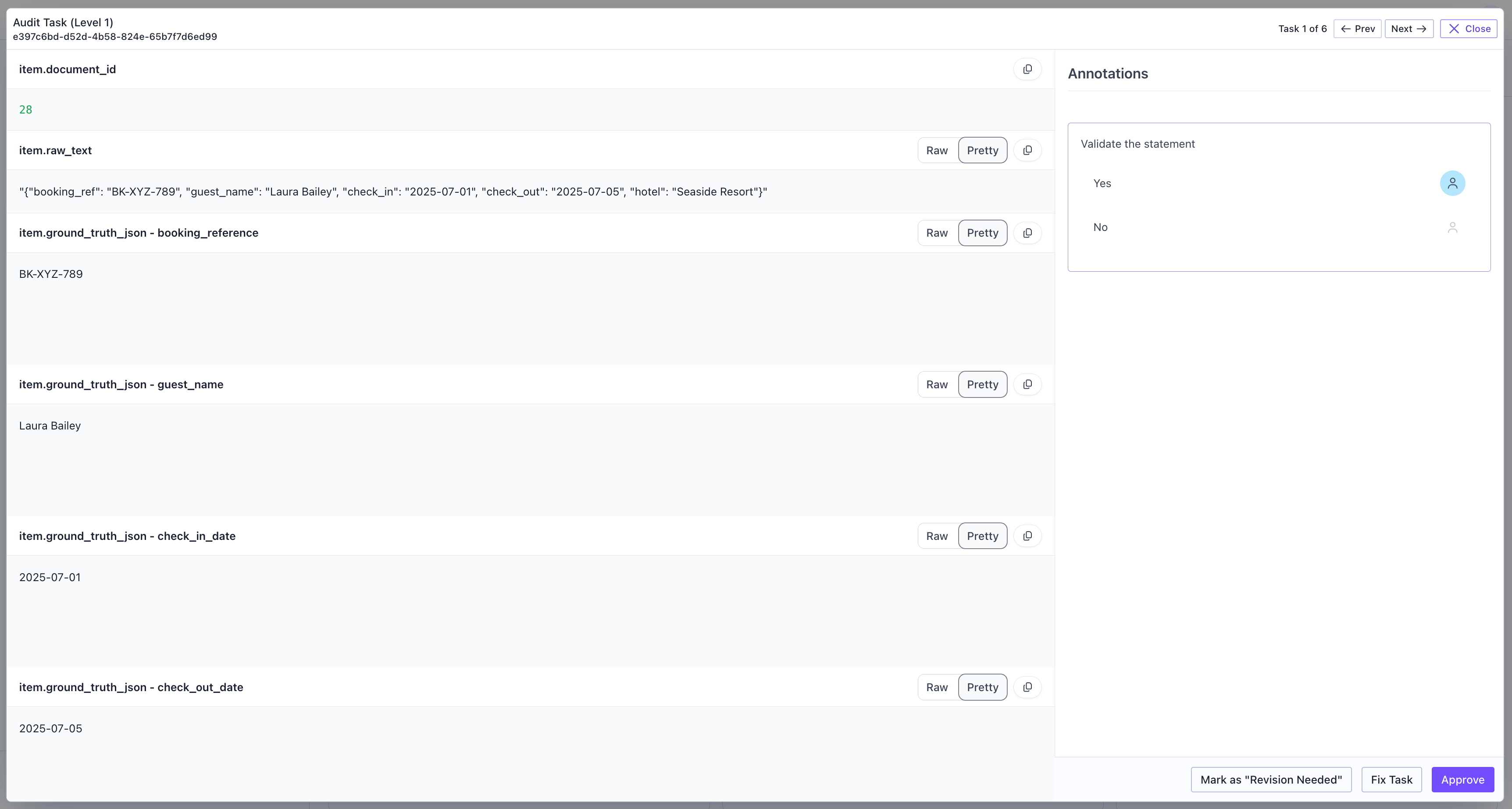
- Mark as “Revision Needed”: Request the contributor to revise their work
- Fix Task: Make corrections directly as the auditor
- Approve: Accept the task as completed correctly