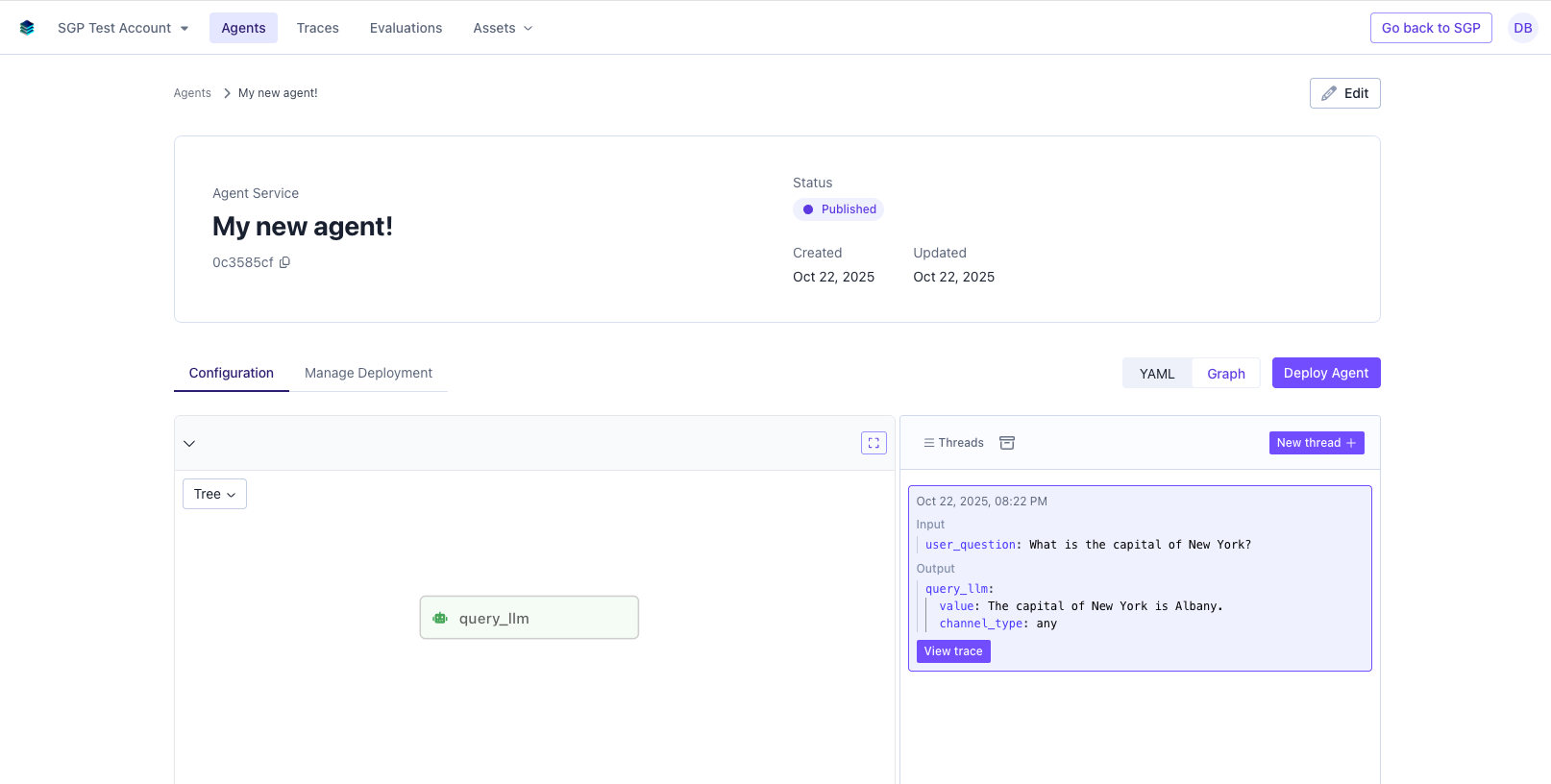
1. Give your agent a name
The first step is to give your agent a name. This will be used to identify the agent in the SGP UI.- Navigate to the agents page.
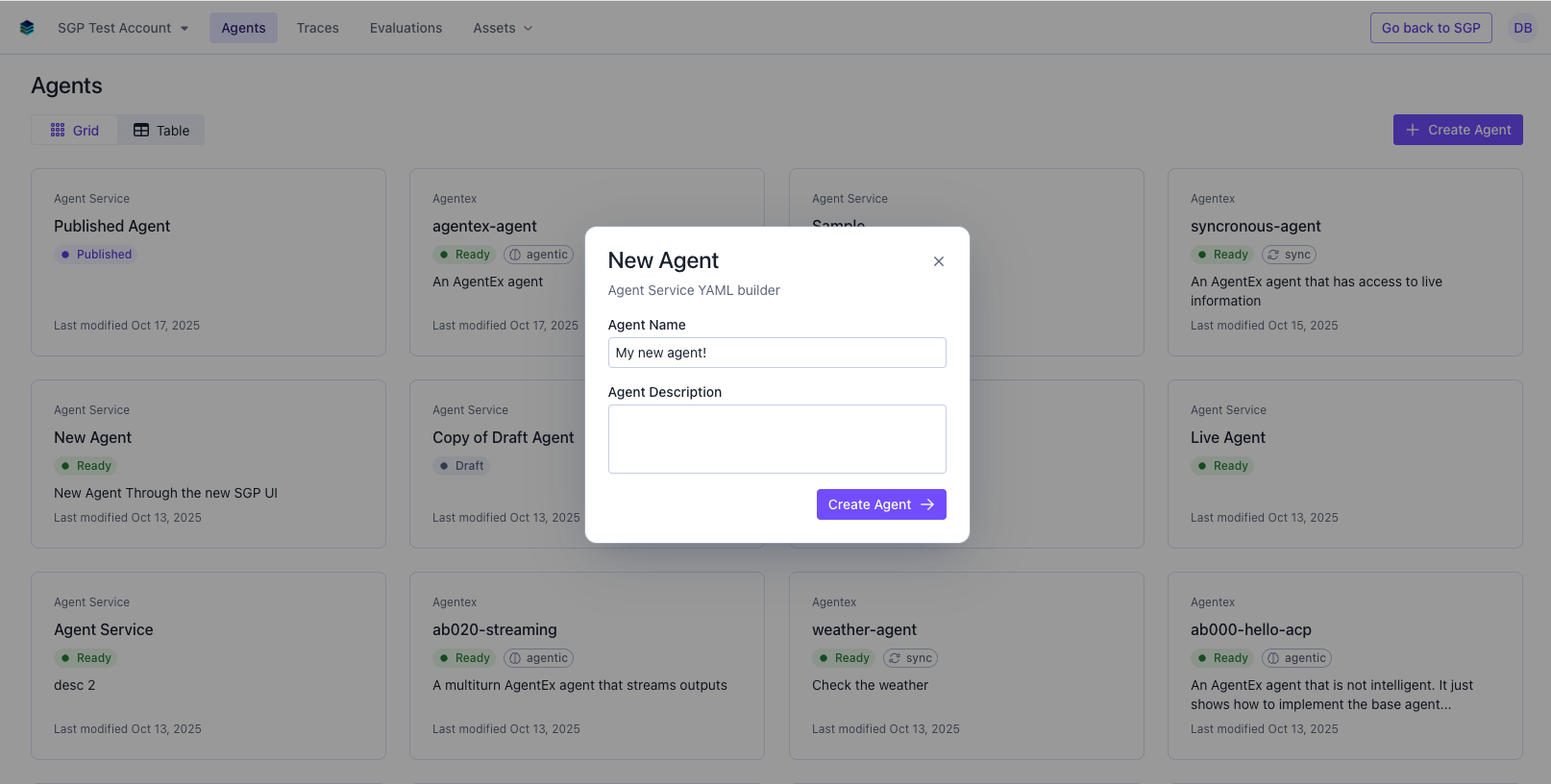
- Create a new Agent Service Agent using the top right Create Agent button.
- Fill in the name of the agent and an optional description and click Create Agent.
2. Configure your agent
Now you should see your agent’s CI/CD page with a YAML editor featured prominently. Any updates you make to the YAML will be automatically saved.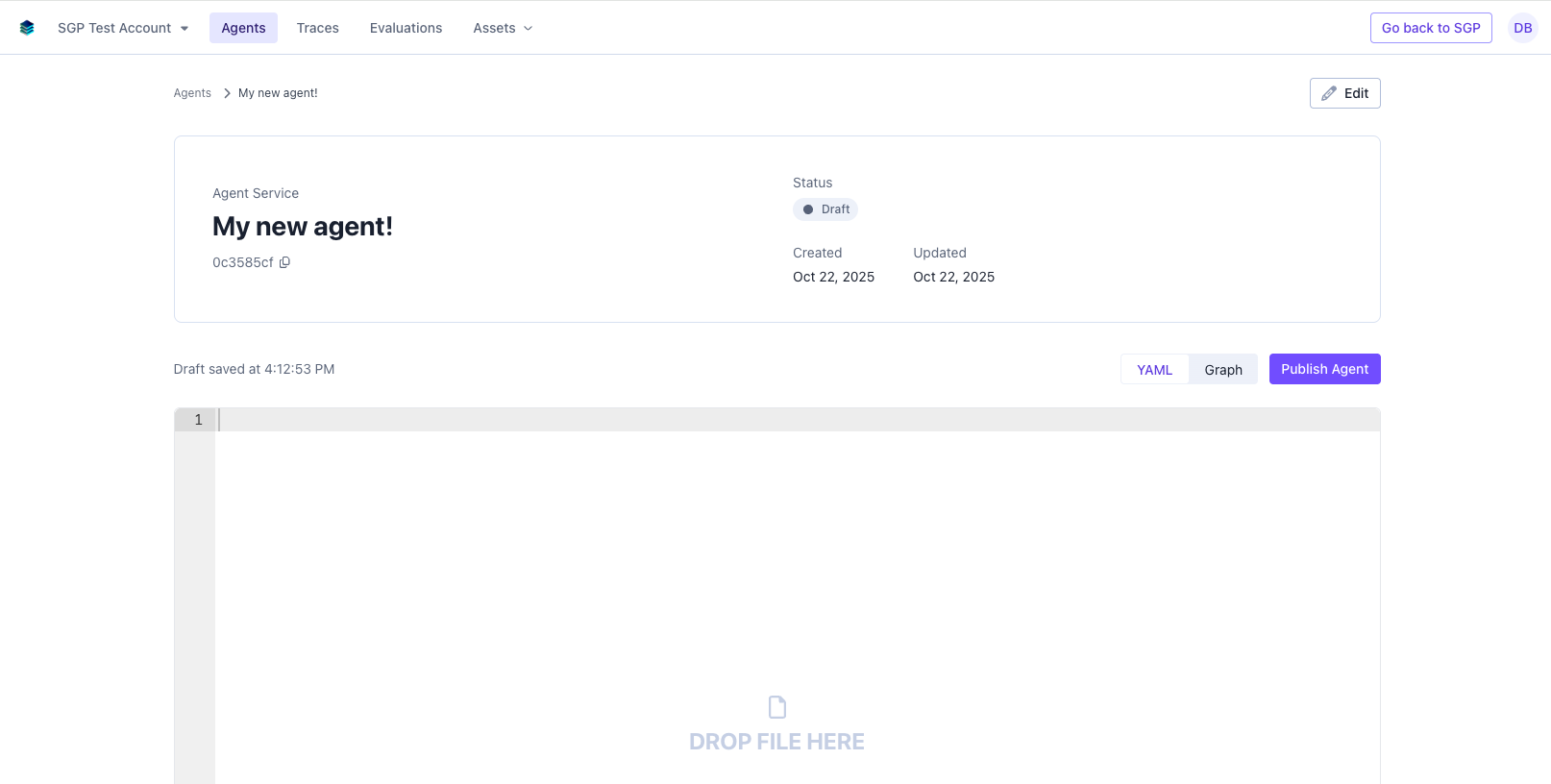
llm_model from gpt-4o-mini to another one like llama-3-1-70b-instruct for an open source alternative. Note that these models are directly interfacing with SGPs model API and can be called by name or by using the model_deployment_id.
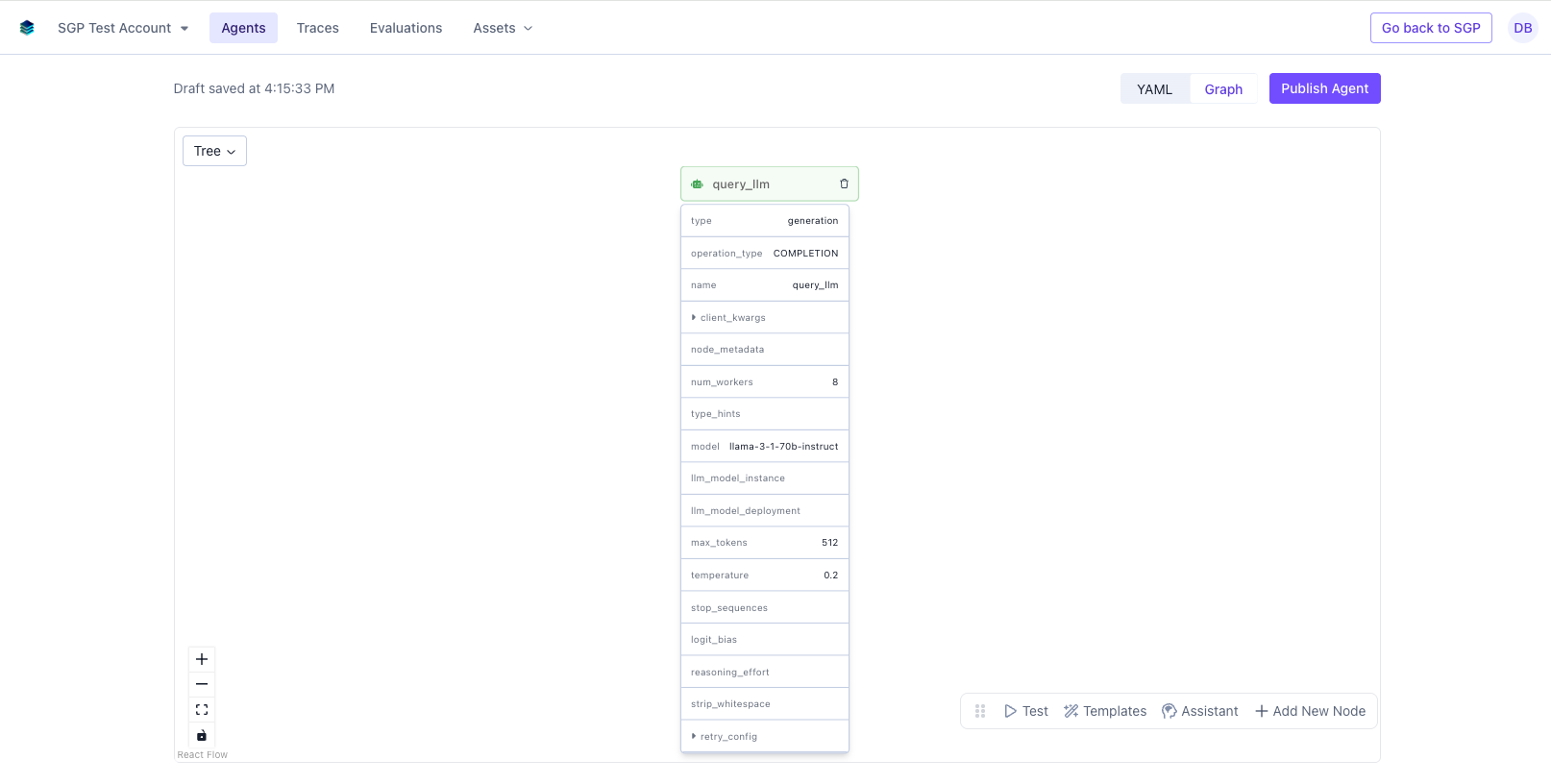
3. Test your agent
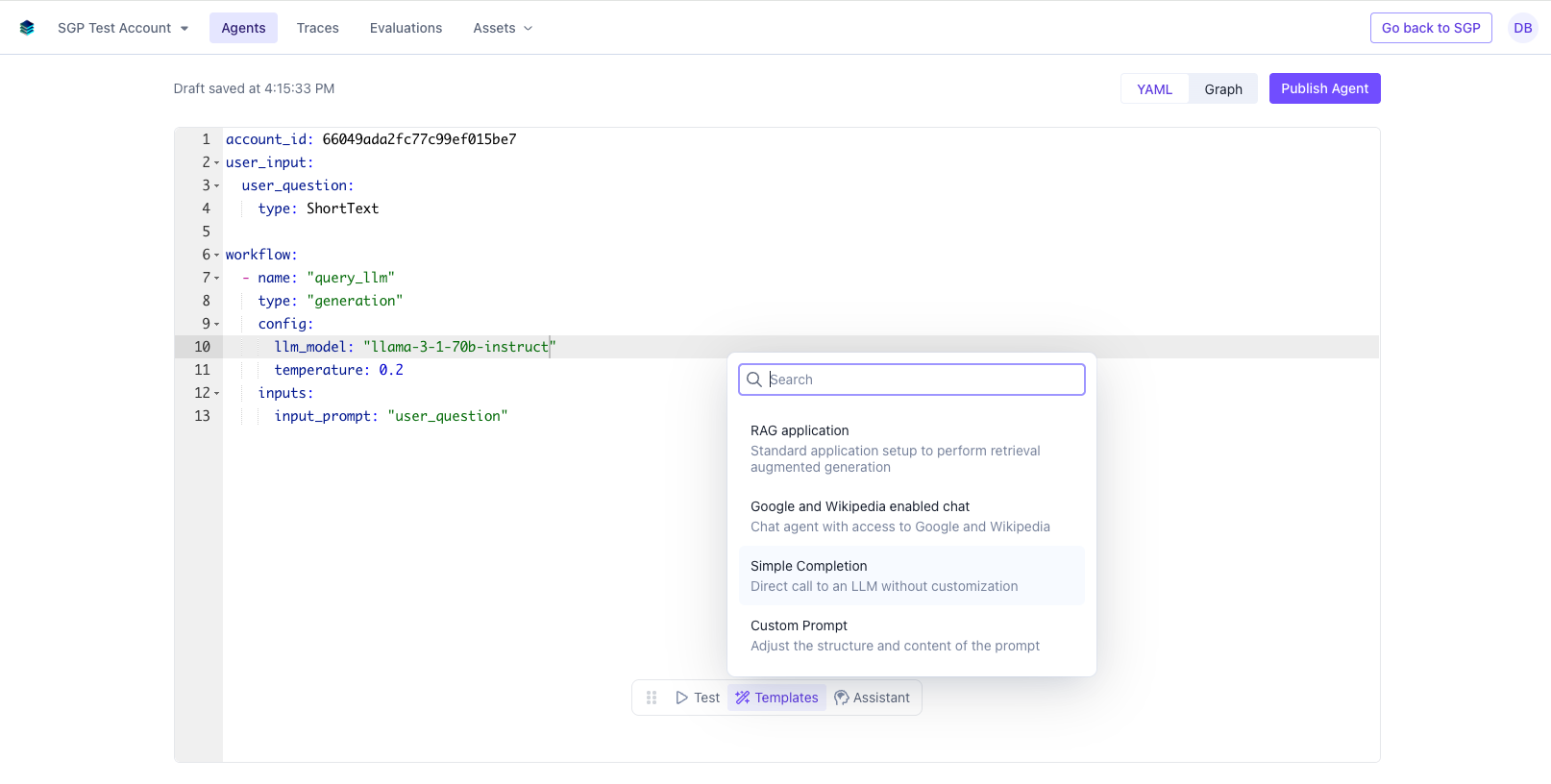
You can easily test the current configuration (as long as it is a valid YAML). To do that click Test in the bottom menu.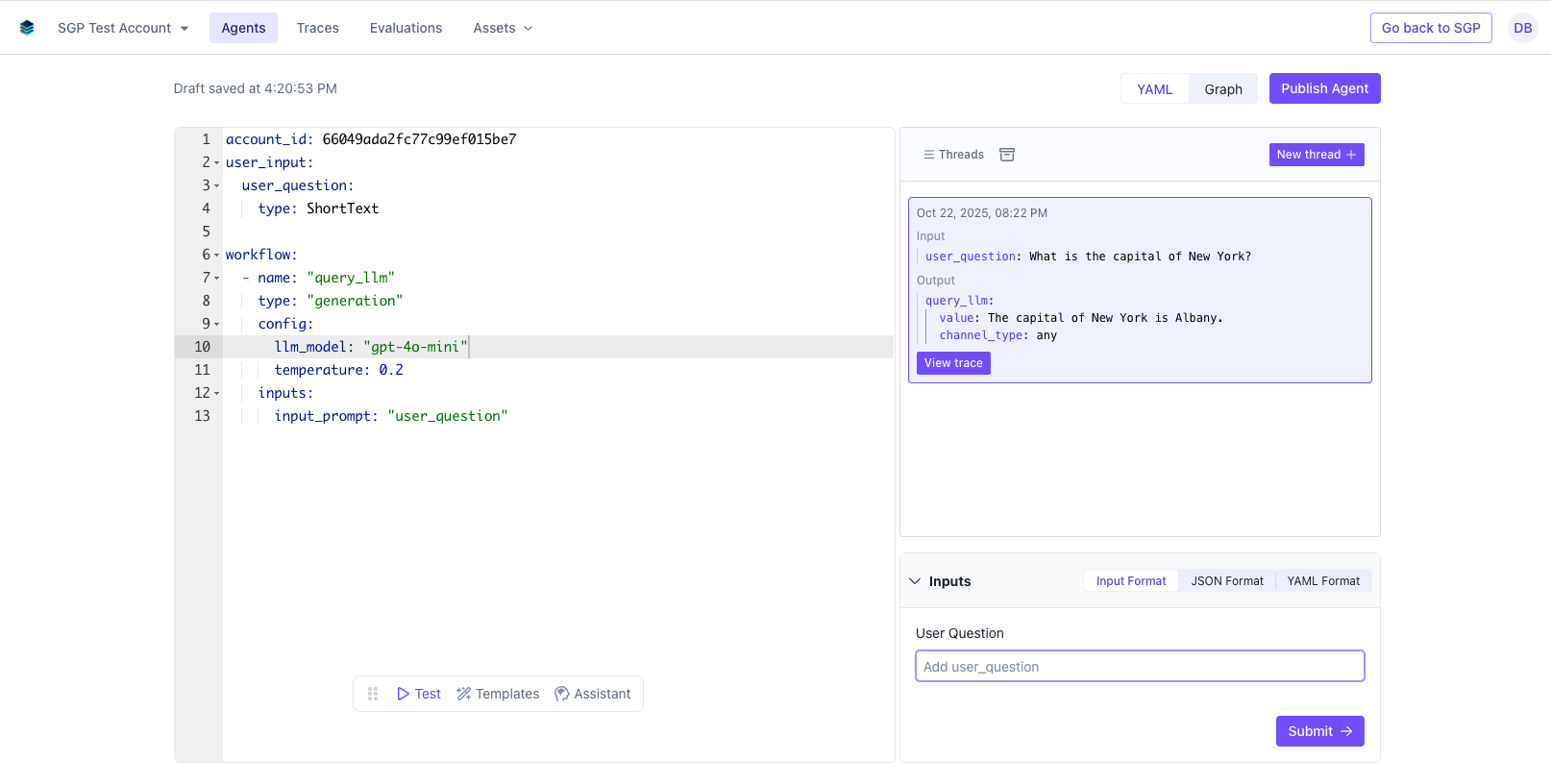
4. Publish your agent
Once you want to go ahead and publish the configuration for deployment, you can hit Publish Agent in the top right. After an agent is published its configuration is immutable and cannot be changed. Only its name and description can be updated.